 Tafelo
Free
€0
- Save and cook unlimited recipes
- Weekly planning and grocery list
- 15 welcome credits + 5 a month
- With ads
Recipes · meal plans · groceries
Name a dish, and Tafelo writes the recipe. From grandma's stew to that curry from your holiday: any dish you can think of, with ingredients, steps and nutrition.
New recipes
No more searching through websites. Tafelo writes the recipe for you, and you save it straight to your own collection.
“Pumpkin soup with ginger”
A name is enough. Tafelo writes the complete recipe, with amounts and steps.
A website, TikTok or Instagram
Tafelo turns a blog or cooking video into a clear recipe, without the long story around it.
A cookbook, recipe card or your plate
Handwritten recipes and a photo of a dish become a recipe too.
A new recipe costs 5 credits. With your welcome credits and the first month you can make 4 right away.
What Tafelo does
Keep your own recipes, have new ones made and plan your week. Tafelo remembers what you cook, so its suggestions keep getting better.
Ideas for breakfast, lunch and dinner
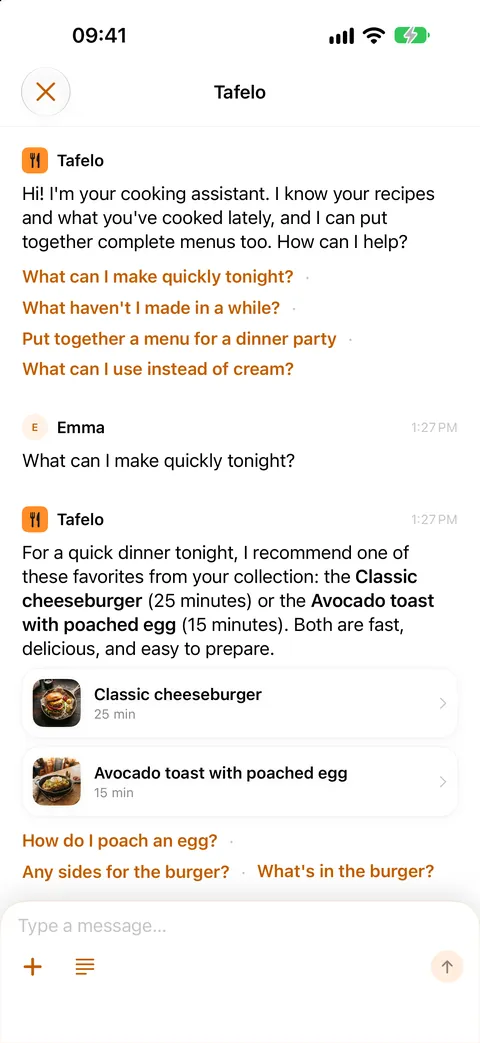
Your assistant knows your recipes
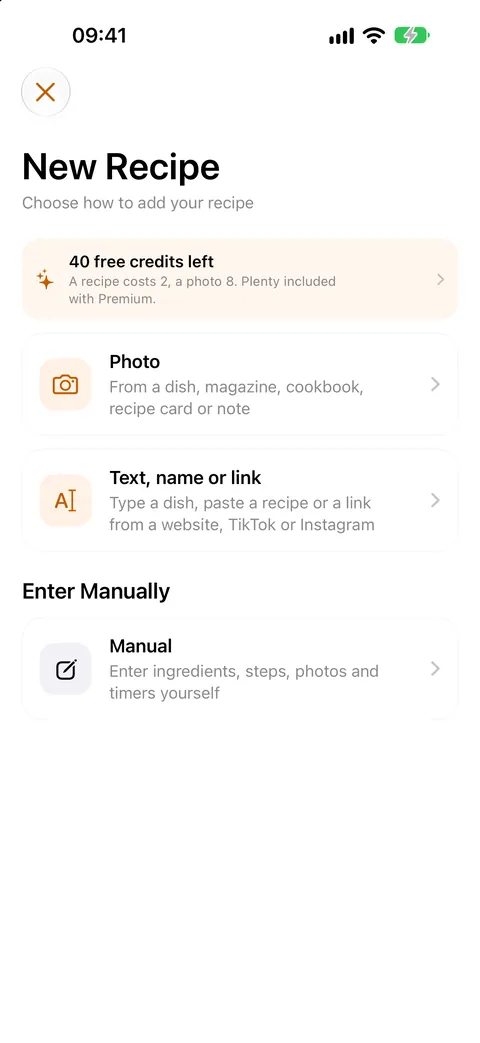
From links, photos or just a dish name
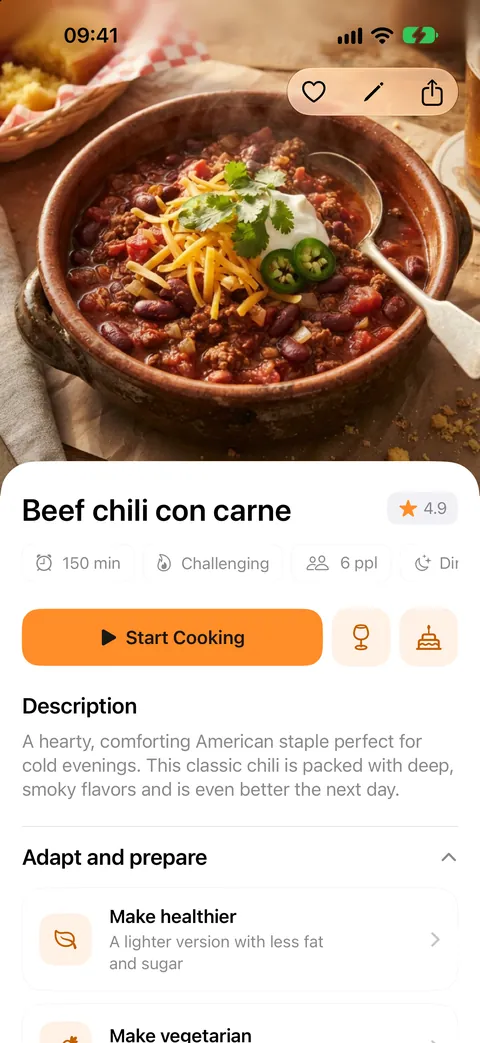
With nutrition and servings
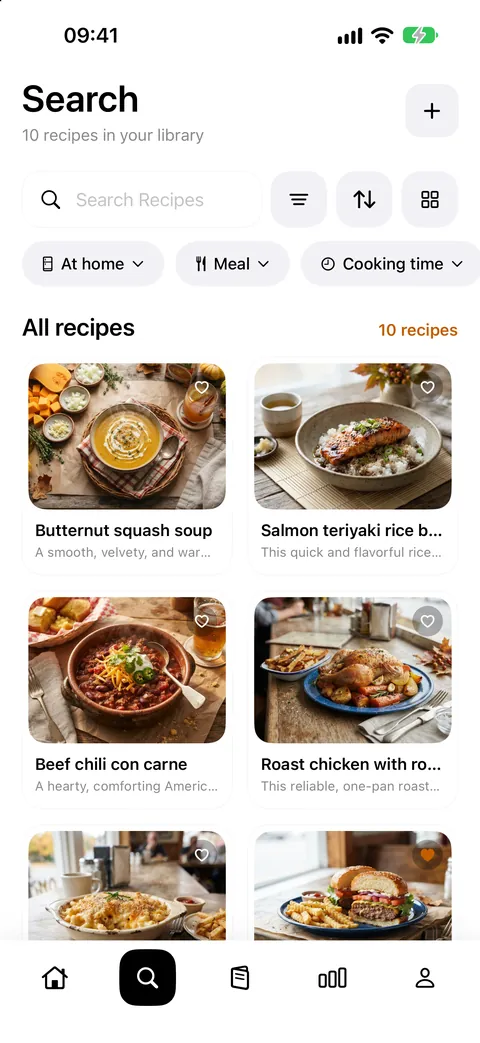
Filter by meal, time and diet
Groceries and prep-ahead included
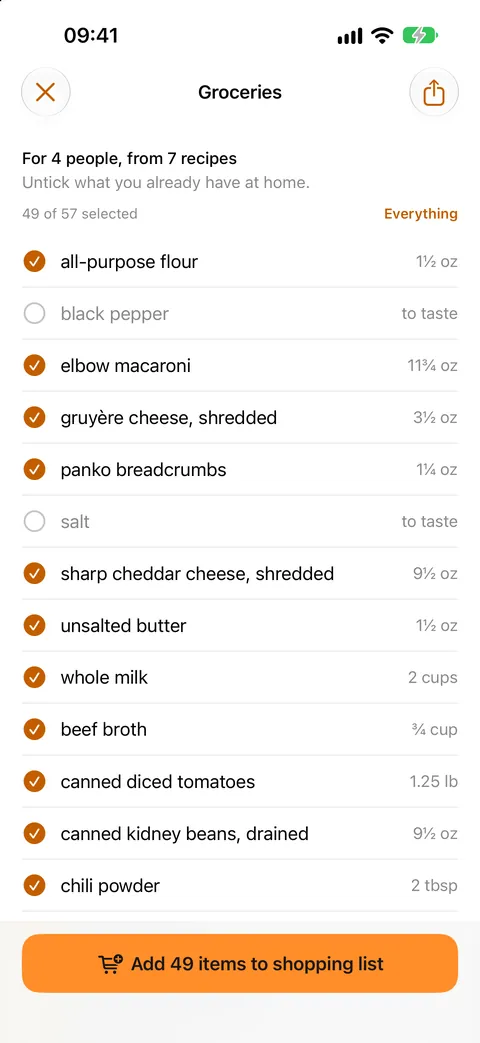
Pick what you need, straight to Reminders
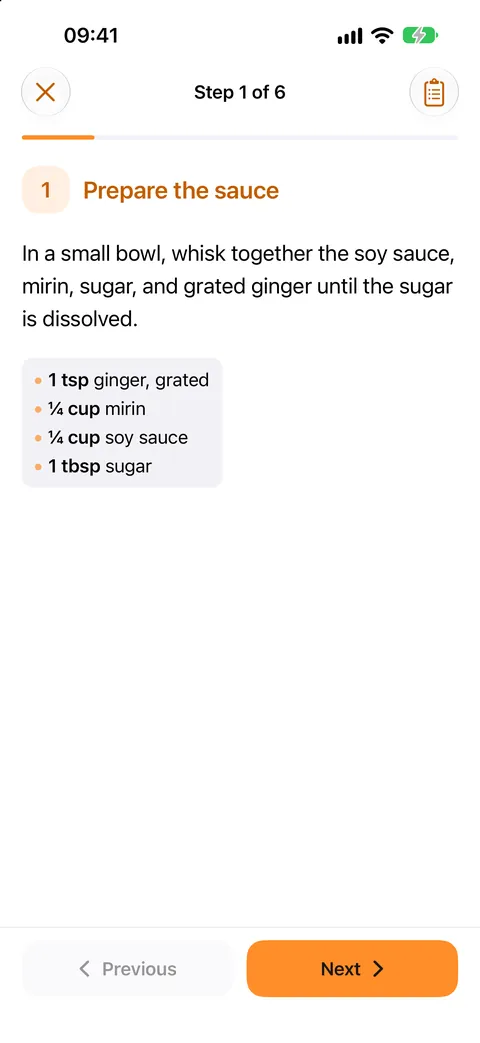
With a timer for every step
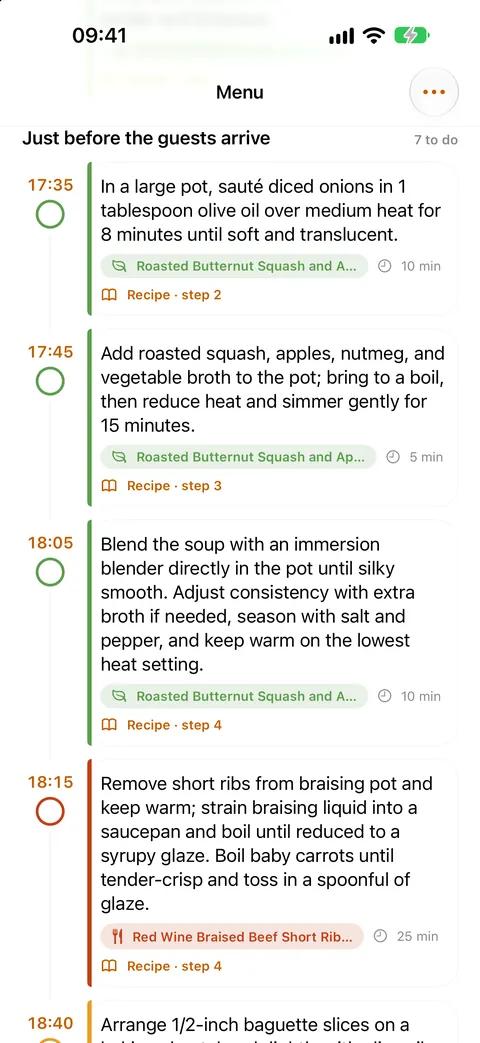
From weeknights to birthdays
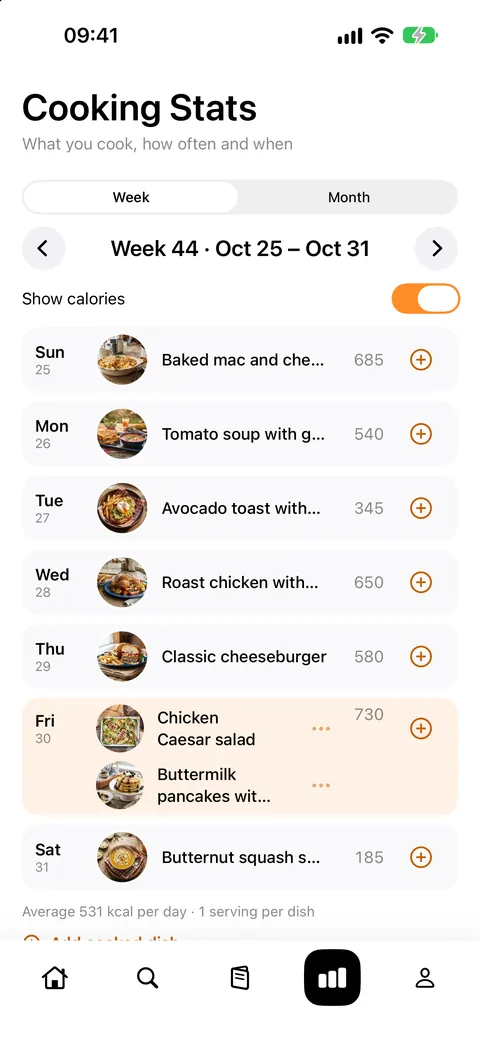
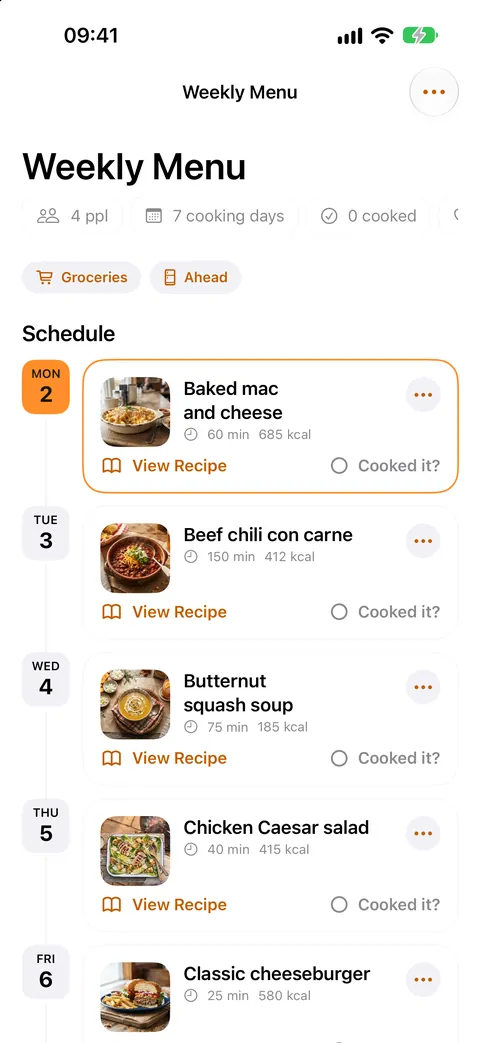
How often, how varied, calories per day
Discover
Tafelo looks beyond today, and beyond your own kitchen.
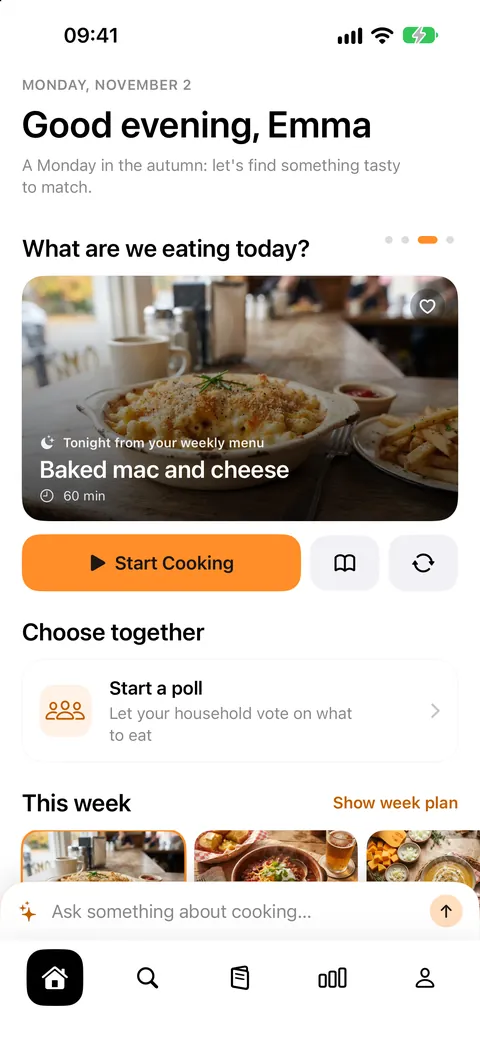
Swipe on the home screen to see tomorrow and add the dish to your grocery list right away.
Search by country and find signature dishes from every cuisine, ready with recipe and photo.
See what people cook a lot in your region or country.
Put together a weekly menu from your own recipes, for free. Fill any empty days automatically if you like.
Always at hand
Your recipes, menus and groceries are on your iPhone, iPad and Mac through your own iCloud.
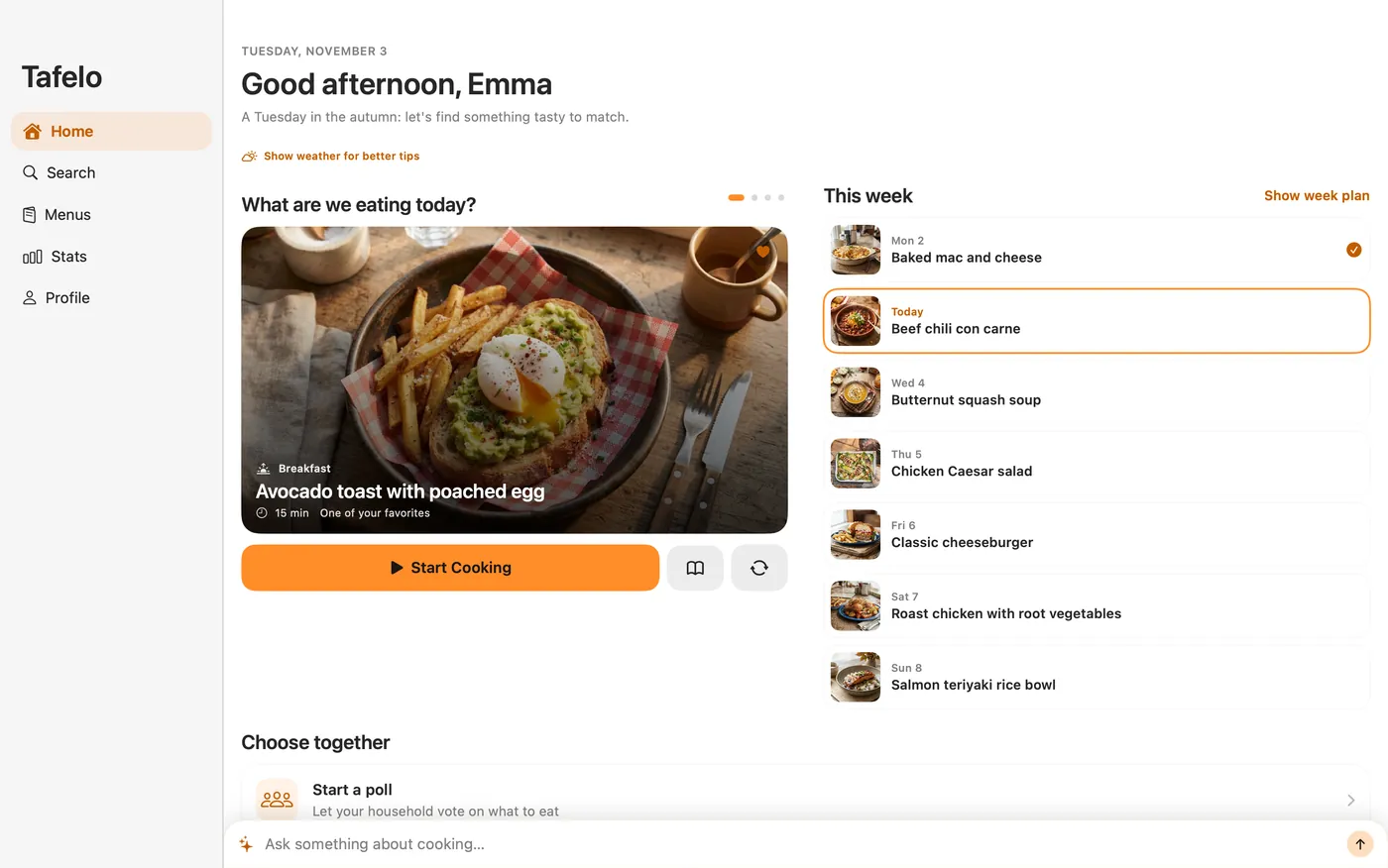
All of Tafelo on your iPhone, and with more room on your iPad.
Search recipes, plan your week and make your grocery list on the big screen.
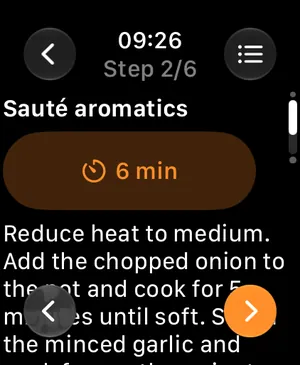
Control cooking mode from your wrist: step by step, tick off ingredients and run timers.
On your iPhone: today's menu on your Home Screen and Lock Screen, cooking timers that ring as a real alarm, even on silent, and Siri for your daily menu, weekly menu or groceries.
More in Tafelo
Take your recipes with you, turn them into a cookbook or put a menu card on the table.
Keep everything in a Tafelo backup, make a PDF cookbook with a table of contents, or export in the standard recipe format other apps can read.
Bring your recipes over from another recipe app or a backup in one go, and choose which ones to keep.
For a party menu, make a menu card in three designs, classic, modern or festive, to print or share.
How credits work
Saving, searching, planning and cooking are always free. When Tafelo makes something new for you, like a recipe, a weekly menu or a photo, it uses a few credits.
Out of credits? Get Premium for generous use, or buy a credit pack. Credits you buy stay until you use them. The amount of free credits may change if AI costs require it.
Pricing
€0
€2.50 a month, billed yearly
€1.99 one-time
Prices shown are from the euro-area App Store; elsewhere you'll see your local price in the app. Subscriptions renew automatically and you can cancel any time in your iPhone settings. Premium has a fair-use limit of 60 credits a week; credits you buy can always be used on top.
FAQ
Everything you do yourself: saving recipes, searching, planning your week, making grocery lists and cooking with timers. You only need credits when the AI makes something new for you.
On your iPhone and in your own iCloud. We can't see them.
Everything keeps working. Only new AI actions wait until your monthly credits come back, or until you get Premium or buy a pack.
On your iPhone, go to Settings › your name › Subscriptions. You keep Premium until the end of the current period.
Tafelo follows your iPhone's language: English, Dutch, German, French, Spanish, Italian and Portuguese.
Yes. Share a link, photo or text with Tafelo and you get a complete recipe. From other recipe apps, import their export file; files in the standard recipe format (schema.org) work too. You choose which recipes to add.
Yes. Export all your recipes or a selection as a Tafelo backup, as a PDF cookbook to print, or in the standard recipe format for other apps.
Your recipes, weekly plan, grocery list and cooking mode also work offline. Smart features that create something new need an internet connection.
No. Tafelo is available for iPhone and iPad (iOS 26 or later), Mac (macOS 26 or later) and Apple Watch (watchOS 26, together with the iPhone app).